
Hello everyone
Well it’s been a while since my last post but as you all know the holidays can be time-consuming. Now that Thanks Giving is out-of-the-way; (mine was great I hope yours was as well) and Christmas shopping is finished ‘whew!!’ I have time to work again.
As stated in the video, we have completed everything intended in the tutorial so I am ready to move on and given the current news of two people splitting a Powerball Jackpot of over 550 million dollars I thought it would be fun to do a Powerball Random Number Generator game. Take note that I said game. In no way am I stating or even suggesting that any application I come up with will improve anyone’s chances of winning in fact with the odds stacked in the house favor, most people who play Powerball lose. With that disclaimer said, let get started and have some fun.
First lets decide what we will need.
- Main Menu
- Table with random number fields and actual number fields
- Random Number Generator form
- Historical Data table
- Analysis Form
- Reports – Maybe
- Link to Powerball website
The Main menu
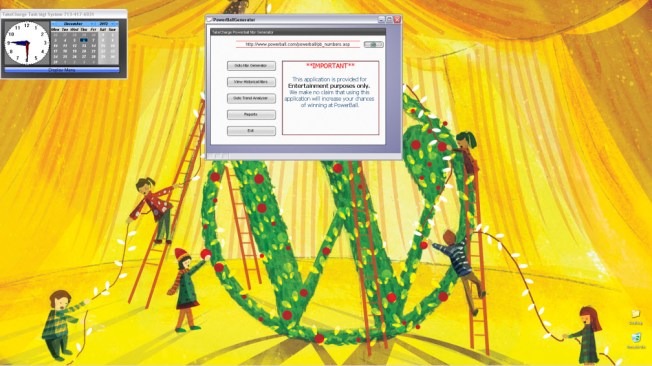
will float above the desktop and provide simple access to all application objects. I created a table called pbwizardtbl and the main menu is attached to it. This table serves as the Random Number Generator table as well. Lets look at its structure.

The table has a linking ID field and lotto date field and the rest is two digit numeric fields which will store the random numbers generated. This table has a sister table which is the historical data table and that table has the same structure. The pbwizardtbl will only have one record and the historical table will have a record for each drawing. With that said, we will need to create a method to move the random and actual numbers for each drawing to the historical table. Please note that after creating the above image of the table I increased the number of fields. Pb_6_1 to Pb_6_5 has increased to Pb_6_12. The Pbwizardtbl also has the Number Generator form attached to it.
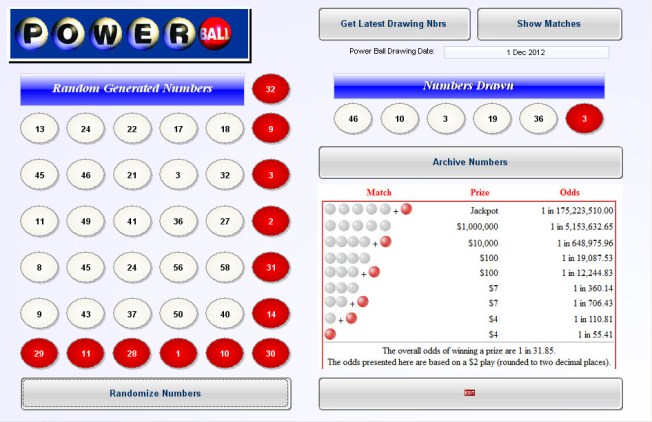
As you can see the form has several button which will help the user manage the data and suggest number choices. Watch the short video to see how it will work.
There will be a lot to cover in this lesson series and much of what we do will be the processing, moving and analysis of data which is what DBase applications were created for. I hope you are looking forward to this lesson series as much as I am.
Well that’s it for today. I hope you found this lesson helpful. Remember, if you need help with an Alpha Software application or wish to inquire about a custom application for your business go to our website
and inquire or contact
NLawson@cdc-TakeCharge.com
Have a great day.


Leave a Reply