
Hello. Thanks for stopping by.
In the last post I discussed the basic concept of my Contractor’s Job Costing Application. Today we are looking a little deeper into the simple CAD style drawing module.
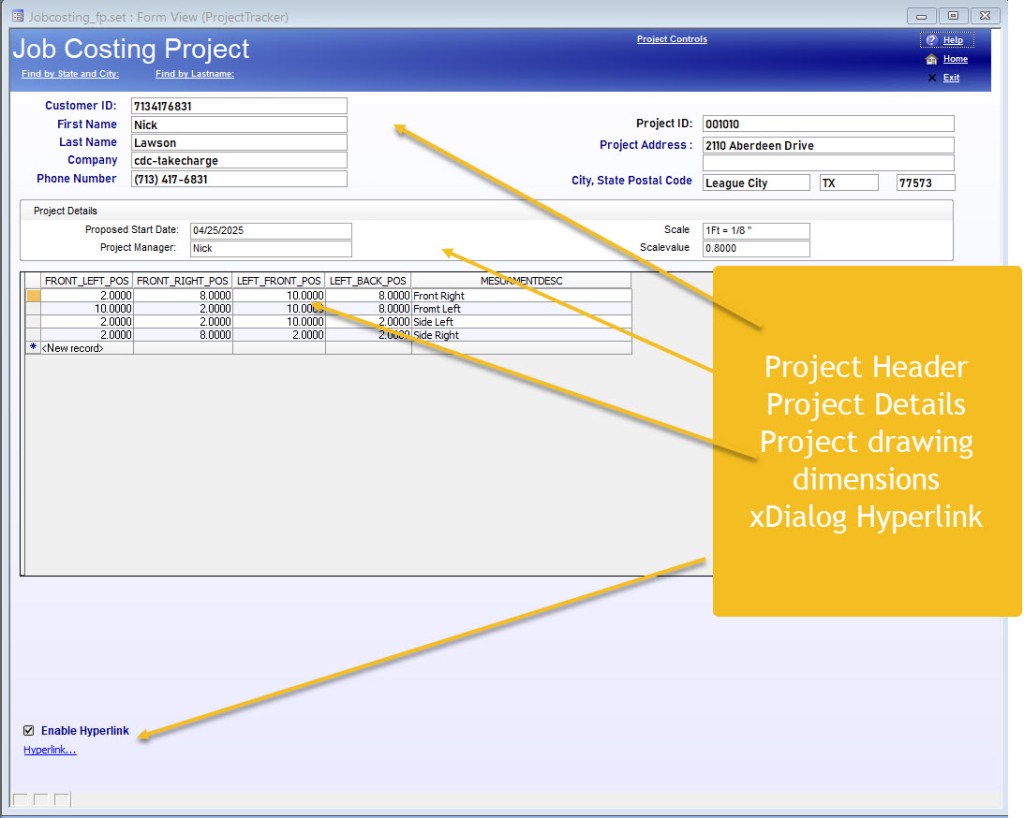
If you have ever started a remodel project you know the contractors come to the property and use a pad and clipboard to make notes and discuss your ideas on the project. Then they walk around making measurements of the area comprising the requested work. They then either low ball a bid or tell you they will present you a proposal in a few days because they need a day or two to cost out the job based on your needs.
This app will reside on a Laptop or tablet and will contain all the modules needed to meet that need on site. The image above shows a first blush of the project Job Costing Application. I have created a basic starting point so I could workout the requirements for the Cad Drawing Module. The mundane data collection requirements are basic and will be discussed later as we finish each part of the Job Costing App
The Contractor will walk-off the area to be worked on and take measurements of any and all other areas in the job. Then he/she simply enter those measurements into the browse window on the form and clicks the Hyperlink to create the drawing and cost out the job instantly.

This image is of the canvas created when the hyperlink is clicked. Now it does not look like much yet but what it does is create a rectangle based on the measurements entered in the Project browse window. The user will need to enter a scale to set the amount of detail on the drawing.
The default drawing is a rectangle that is 10 by 8 inches and there is a scale value the user needs to enter. For example;
1 Foot = 1/8 th inch sets the drawing to a home of 80 feet by 64 feet or 5120 square feet
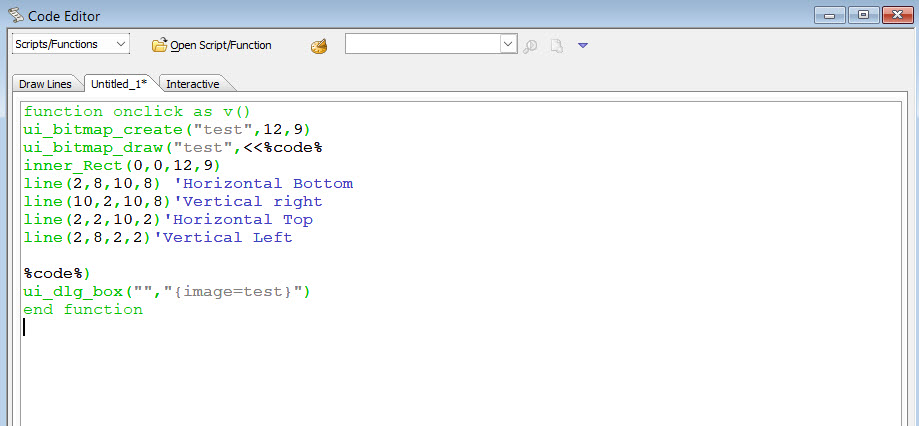
My current expectation is the drawing will be able to create floor plans, Kitchen remodels, bathroom remodels, painting and adding extensions to the home. Job costing will be set by the contractor based on area, materials and labor for the type of Job requested.
I have also started on the customer database
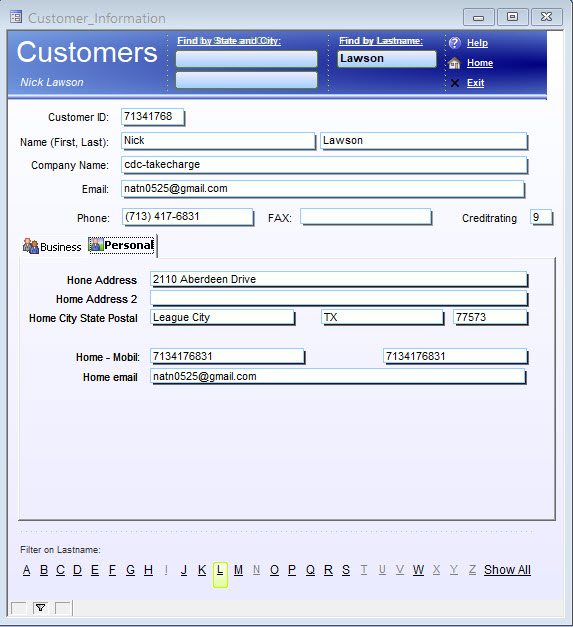
I am sure you can tell I am using Alpha Sports as a template. I like the look just not the colors. Also, their database is geared to product tracking, invoicing and sales tracking. whereas this is geared for Contacts, project management, lead generation, inventory tracking and invoicing. So I can’t actually use the tables but the general look of some of the forms will be used.
Well that’s it for today. On my next post I hope to have all the minimum requirements for the CAD type module and job costing.
I know your time is valuable and I appreciate you spending some time with me. If you have questions or suggestions just leave a comment and I will attempt to answer your questions.
Thank you
 Custome Database Design with Alpha Software
Leave a comment