
ActiveX is a software framework created by Microsoft that adapts its earlier Component Object Model (COM) and Object Linking and Embedding (OLE) technologies for content downloaded from a network, particularly from the World Wide Web. In Alpha Software most Super Controls are in fact ActiveX objects. In this article we will look at adding a Super Control Web Component and use it for a file explorer type control. The image below is of the single pane view of our finished controller.
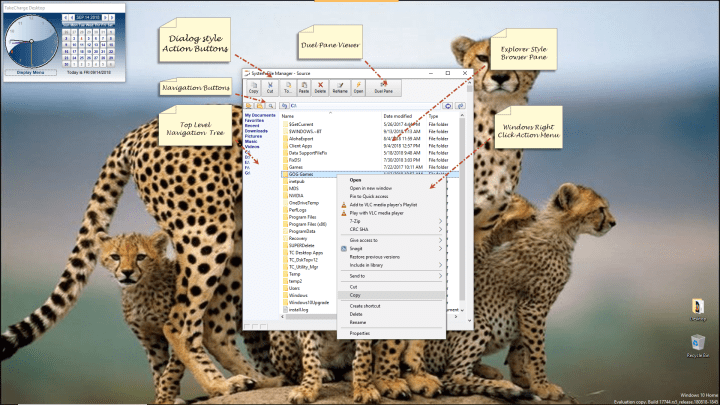
As you can see in the image above, the viewer looks very similar to the normal File Explorer which ships with Windows. The exception is ours has a duel pane view.
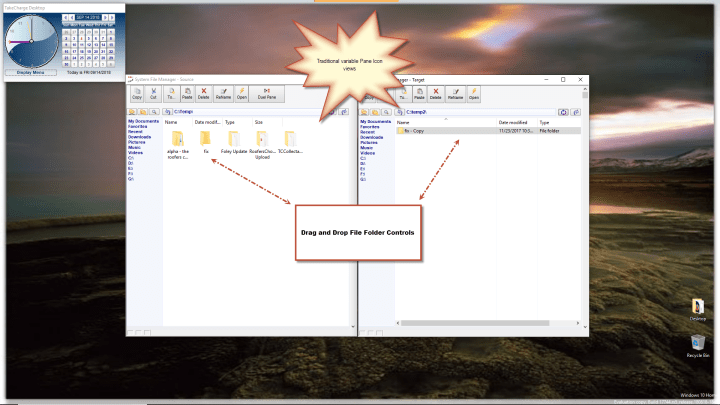 With a duel pane view drag and drop is greatly simplified.
Some may ask; if it’s basically the same as the shipped File Explorer why bother and the answer is by writing your own object you have the ability to track and record all user actions allowing for easy corrections or undo’s.
Step One:
Create a form and drag the super Control onto the form.
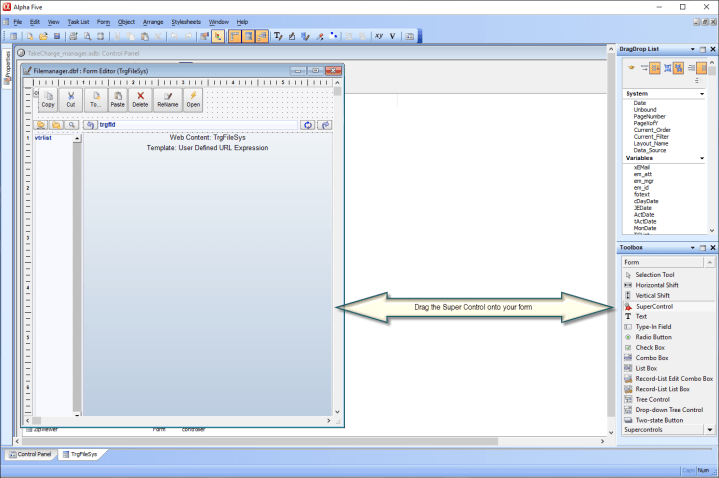
Step Two
Select which Super Control you wish to use.
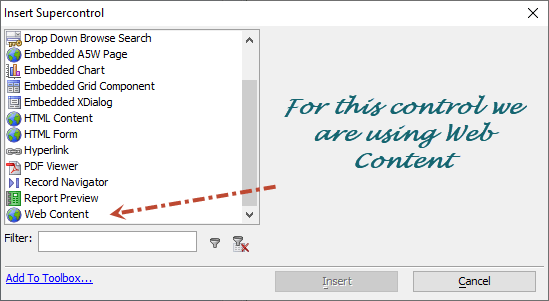 Step Three
Assign the Super Control values using the Super Control Designer Dialog.
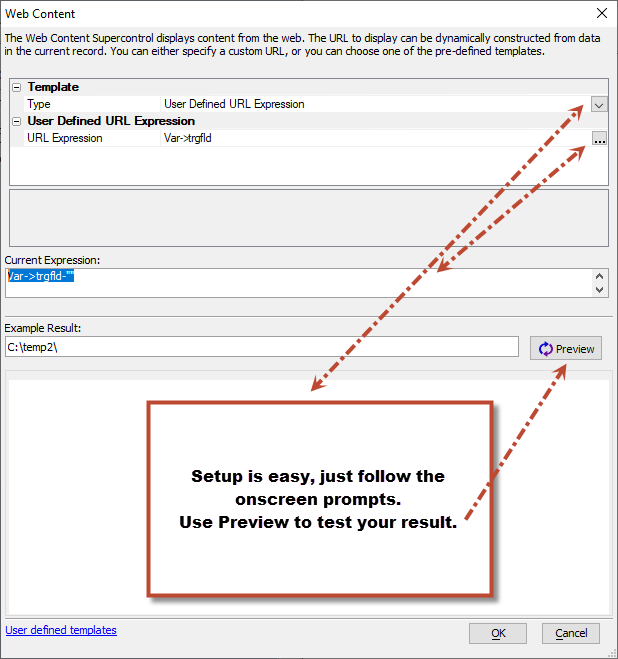
Step Four
Save and name your form and the browser is done.
On our form (See first image above.) We have several single click action buttons which
- Controls the explorer view
- Tracks the path of the folder
- Sets the path of the folder
- Interacts with the objects selected in the browser pane.
Lets look at the utility buttons copy and paste to. Copy
the onPush event of the Copy Button is
tcfilesys.activate()
sys_send_keys(“{^c}”)
Our Explorer object stores the selected object / objects in memory and I use the Send Keys function to copy the selected values to the clipboard. Once the target folder is selected I use Send Keys again to paste the objects to the target folder and the Microsoft framework does the heavy lifting.
The code for the Open button is
sys_open(topparent:tcfilesys.activex.Document.FocusedItem.Path)
Here I use the sys_open function and the path of our selected item stored in our ActiveX object.
I hope you find this useful and if you have a business with an Alpha Software application and you need help, Contact
NLawson@cdc-takecharge.com
No project is to large or small. Thank you for your time
 Custome Database Design with Alpha Software
Leave a comment