
February 20, 2017
Hello everyone it’s Monday the start of a new and exciting week. I hope everyone had a nice weekend. Last week I had Jury Duty so not much got done around the office. Today I am going to continue working on the Project Manager Application. One of my original goals is to have the ability to track a new application development from beginning to end including the creation of the new app.
Below is an image of the A5 files for an app I created as a test in the Project Manager (NickApp).

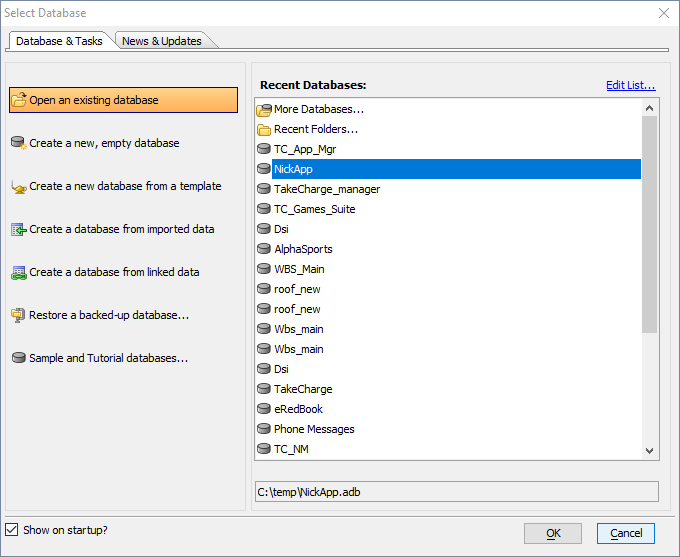
There is no function in xBasic (at least that I can find.) which will let you create and app using xBasic. I did however, come up with a solution. Using file.create I create a file with the name I want for my app and save it with the extension of ‘adb’. I then open the file using sys_shell which allows me to point to A5 v10 and pass the command line of my new app file. Alpha Software does the rest. Below is the Select Database dialog which shows the NickApp I just created,
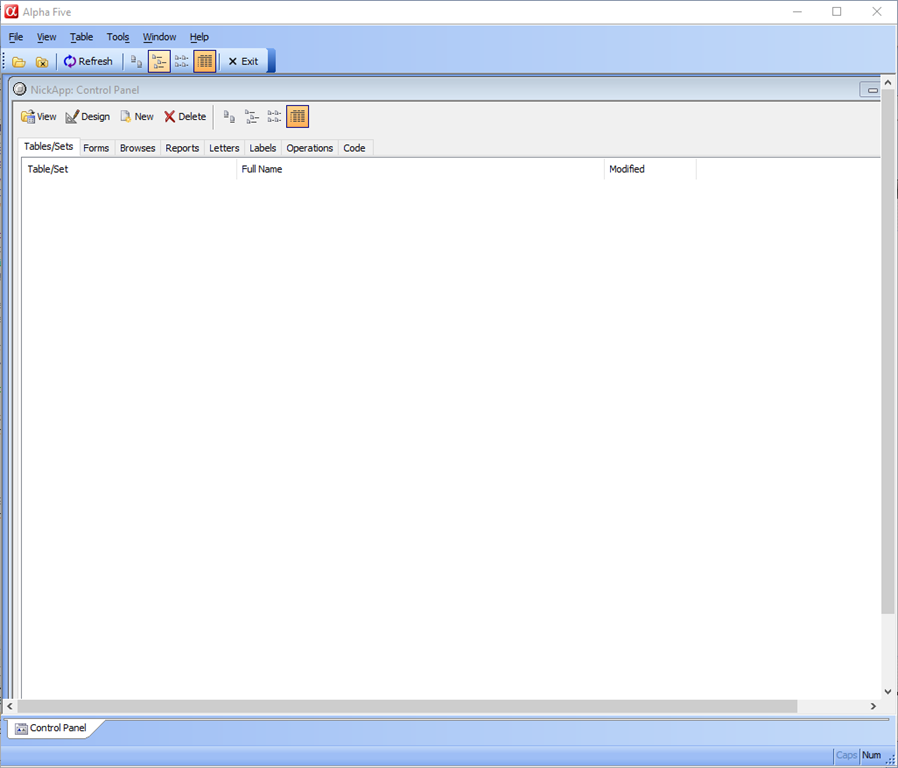
and finally here is the empty control panel for the NickApp.
Below is the code
if vSrList = "A5 App's" then
    DocView  = table.external_record_content_GET("applicationlist","File_Name","File_Name","ID=3")
else if vSrList = "-New A5 App" then
    filename = "c:\temp\NickApp.adb"
    result = file.exists(filename)
    if result = .F. then
        file_pointer = file.create(filename, FILE_RW_EXCLUSIVE)
    end if
    dim useshell as C
    useshell = "C:\Program Files\a5V10\alpha5.exe"
    CLine = useshell + " " +  filename
    sys_shell(CLine,1)
end if
If you look at the code you can see I hard coded the path and folder name. The finished product will use a dialog box to prompt for the path and folder name and will write the result to our applicationlist table which will automatically update our menu.
Now this code is actually part of a larger script which is attached to the on change event of a list object on our new project viewer form.
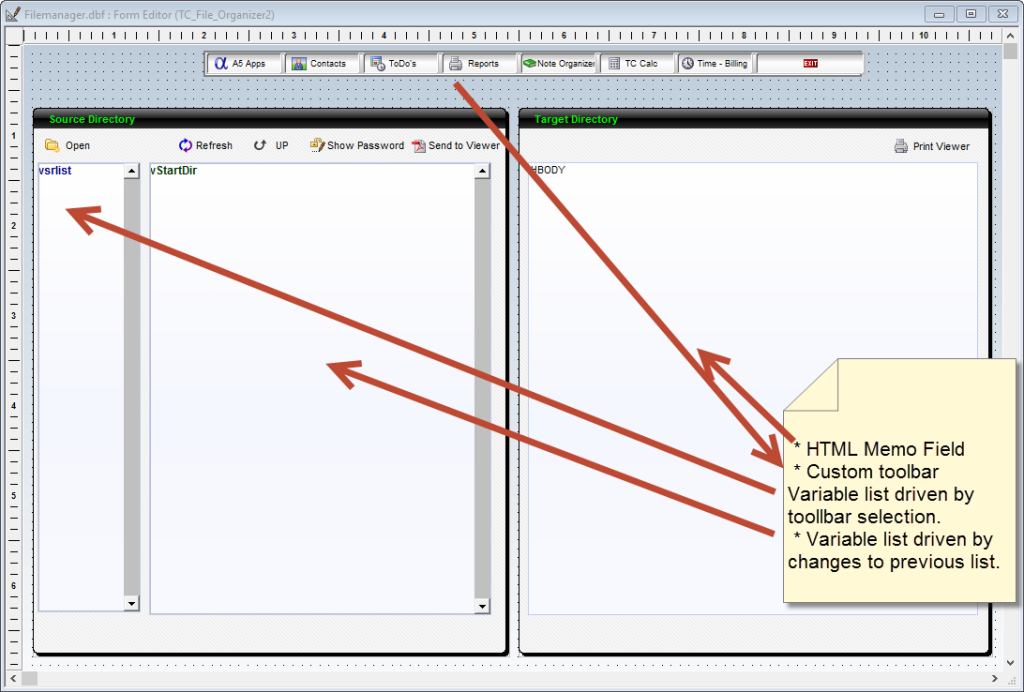
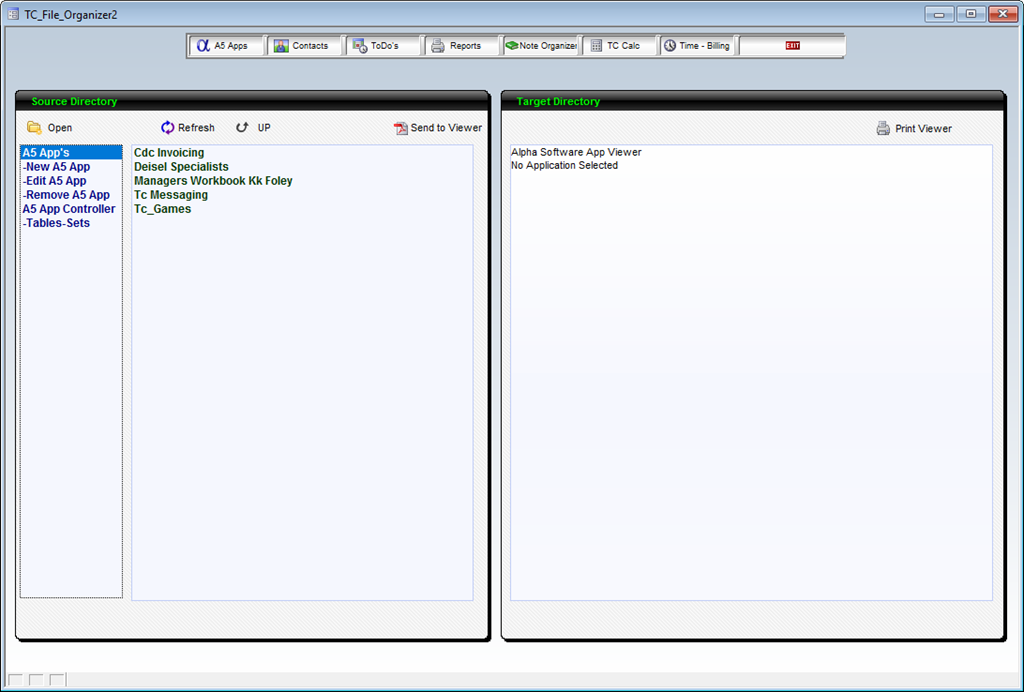
On the left above is the form in design mode and to the right is the same form in view mode. When the user clicks a button on the custom toolbar the list called vsrlist is updated by the onPush code for the selected button. As an example, here is the code for our A5 App button.
ListState = "ADB"
ui_freeze(.t.)
dim SHARED SubjectList as C
hBody.text = "Alpha Software App Viewer"+"<br>"+"No Application Selected"
xbasic_wait_for_idle()
DocView = <<%str%
Select A5 Apps to See a List of current A5 Applications
%str%
parentform.commit()
SubjectList = ""
SubjectList = "A5 App's"+crlf()+"-New A5 App"+crlf()+"-Edit A5 App"+crlf()+"-Remove A5 App"+crlf()+"A5 App Controller"+crlf()+"-Tables-Sets"+crlf()
if vwatch =1 then
   vwatch = 0
else if vwatch = 0 then
    vwatch = 1
end if
ui_freeze(.f.)
I use the choices tab for my form object to populate the list variable (SubjectList) and update the object (vSRList) by changing the value of my watch variable.
Once the list is created, the user simply selects a choice on the left to
- Change the panel on the right
- Create a new App or Data Record
- Edit an App or Data Record
- Delete an App or Data Record
and if they select a choice on the right panel the HTML memo field displays data related to their selection. This should work well as a code viewer for our project manager.
If you think this form looks familiar you are correct. I created it in a lesson
Incorporating xBasic into Form & HTML Document Design: 12
which showed how to pass data values to a HTML memo field for display on a form. If you want a refresher or if you have not seen the previous lesson, then click the link above. I will not be reviewing all the code again for this process.
When I started this project manager app I created a fairly complex script for compiling and building a table of all scripts in the Project Manager Application list. After looking at what Alpha Software provides each developer as a means of building a code library I am changing my approach. Alpha Software allows you to add the code from any application to any other applciation. Look at the two images below.
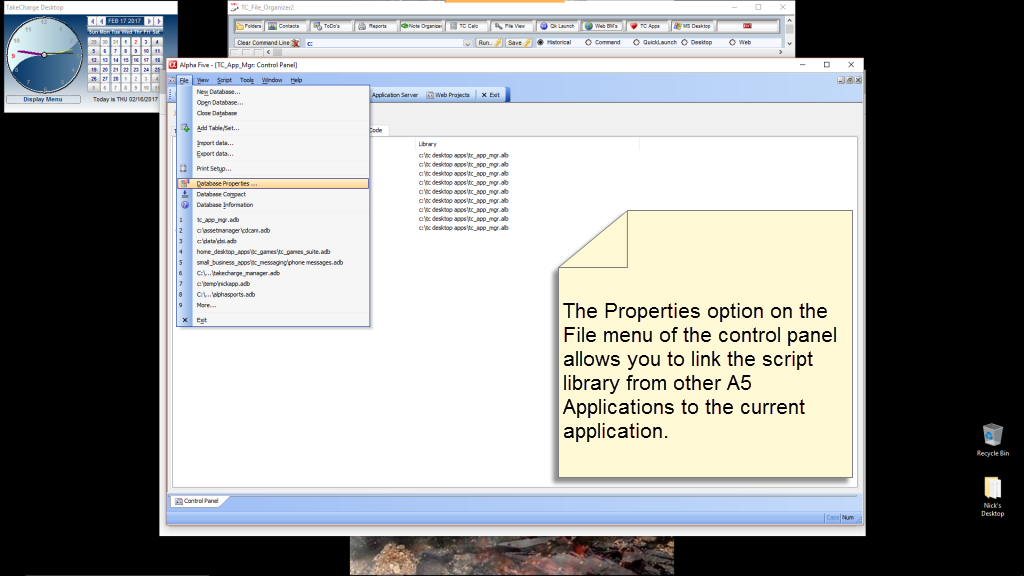
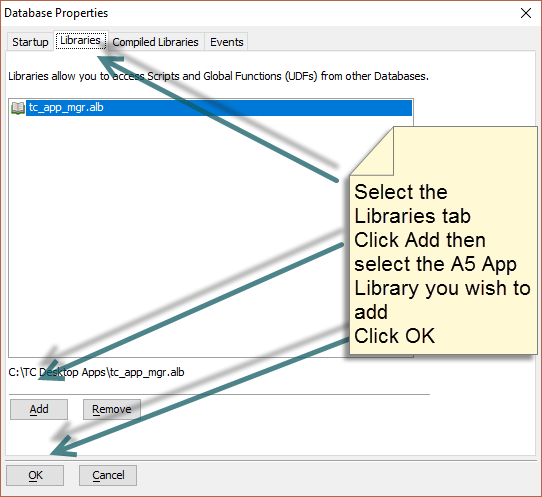
The first image displays where to go to add scripts to an application and the second image shows the dialog box which allows you to do it. Once the code libraries are added I can run the portion of the previous code which writes the scripts to memo fields building a table of code records which can now be displayed in our HTML Viewer. We will look at that in the next session.
That’s all for today. If you are a business and need help with an Alpha Software program, contact us. Are rates are reasonable and our work is guaranteed.
Phone:713 417-6831
EMail: NLawson@cdc-takecharge.com
 Custome Database Design with Alpha Software
Leave a comment