
Our blackjack program is coming to a close and I decided to review the items left to do and give an overview of the solution.
Lets look at our design document.
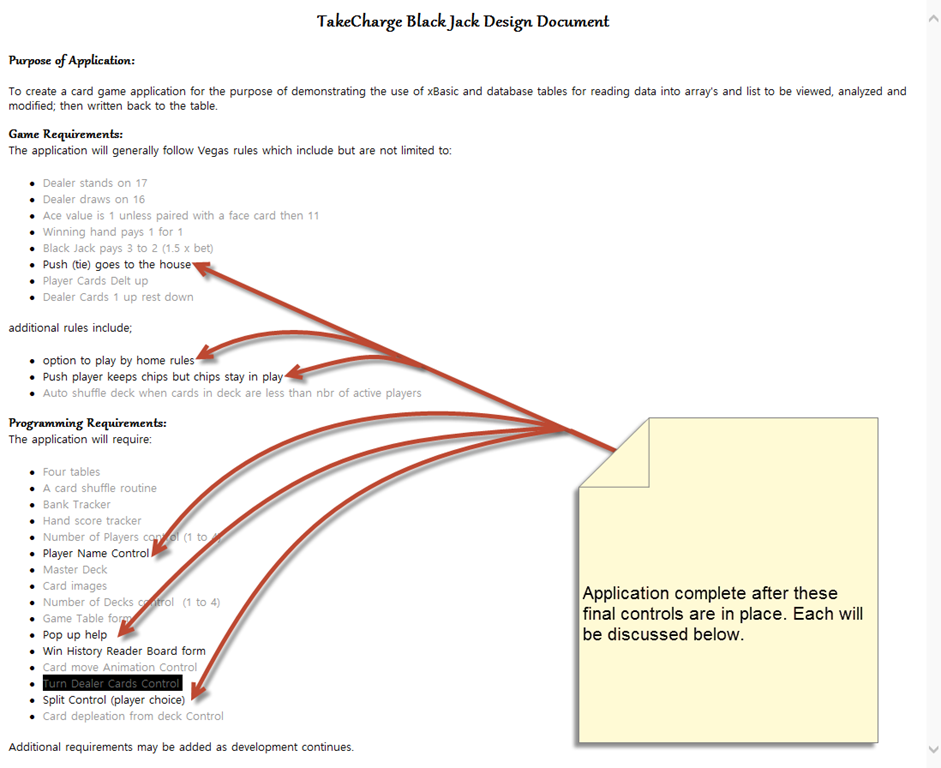
As you can see, not much is left to do. So lets review.
1. Push goes to the house.
- Our win loss control is triggered after the dealer receives his cards or immediately if he draws black jack. The pot goes to the dealer then the house pays out for each player that beats the house. If the player score = dealer score then dealer does not pay out to those players.
2. Home rules
- Human plays as house which requires a switch control which tells the program to auto deal the dealer cards or to pause for the house player to select a card. This does not effect the initial deal of a hand.
- Push player keeps chips but money stays in play. player (s) which tie with the dealer will not receive their payout, it will be added to the pot for the next round.
3. Pop up Help
- Simply replace the design doc with a help window and add a desktop question icon.
4. Player Name Control and Win History reader Board
- This will be the most challenging of the remaining task. Will require a new dialog to replace the NbrofPlayers dialog and will need to have a place to enter each player name. A table needs to be created with fields of Date, Player Name, Score and be sorted by score highest to lowest.
5. Split control
- Will require four additional placeholders for each player except the dealer who never splits. A split option button will need to appear to trigger the split.
- When the split is accepted by the player, one card will move to the new placeholder for the player and each additional card will place in remainder placeholders for each of the split hands.
Now that you know what need to be done, you should work on these final steps on your own. I am not going to post the final solution. However I will gladly review your solution if you send it to me at
I will respond as time permits.
Next project:
If you have been programming for any length of time I am sure you have found favorite routines you like to use. You may have worked out a unique and clever solution to a problem that might serve you in the future. If you had a code library with snippets of code and or routines life in the future could get easier. Alpha Software has a code library,
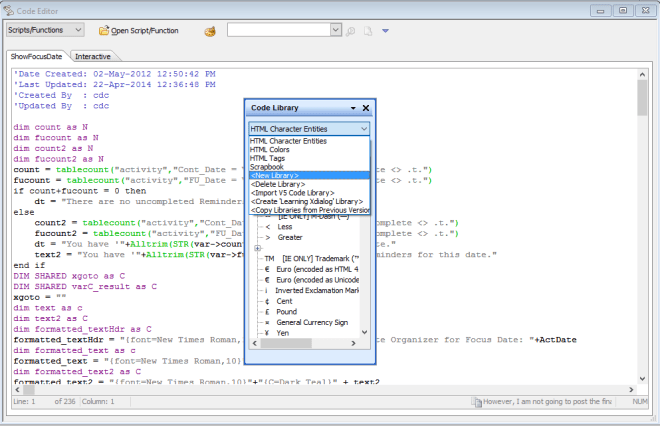 which has sample code and allows you to add your code to it or to create your own code library. This is well and good but it does not really show what the code does. When you get old like me you need to see it to remember it. What we will work on next is a code library and application manager which will track all applications you may be working on and allow you to easily find and share favorite routines between Alpha Software programs. To accomplish this I will be converting each of the mini programs we created here on the blog as well as some of my business applications; into standalone programs which will then become the basis of our application manager and code library.
This will be a new and complex task which will keep us going for several months. I hope you will stop back and follow the progress. Our first lesson should be up in a few days. Have a great day.
 Custome Database Design with Alpha Software
Leave a comment