
Hello Everyone
Today we will look at a broad overview of what I propose for our New Desktop.
Our desktop will provide quick access to all Windows free Desktop software and through a setup wizard allow the user to substitute free or paid for software for each of Windows desktop apps. The setup wizard will provide a link where possible to the homepage of software we like, (but do not endorse!), so the user can make an informed decision for themselves. I will now list some of the apps many people use
- Notepad++
- Notepad++ is a free source code editor and Notepad replacement that supports several languages. Running in the MS Windows environment, its use is governed by GPL License.Based on the powerful editing component Scintilla, Notepad++ is written in C++ and uses pure Win32 API and STL which ensures a higher execution speed and smaller program size.
- Features include but are not limited to
- Syntax highlighting
- Customizable GUI (Graphic User Interface)
- Auto completion: Word and Functions when coding also provides parameter hints
- Multi-Document (Tab Interface)
- Multi-View text Documents
- WYSIWYG Printing
- Zoom in/out
- and more…
- Features include but are not limited to
Personally I do not use Notepad++ but that is only because I no longer do much HTML coding and Notepad itself meets my basic needs.
Compatible with other major office suites, Apache OpenOffice is free to download, use, and distribute. It includes
- Writer – A word processor you can use for anything from writing a quick letter to producing an entire book.
- Calc – A powerful spreadsheet app with all the latest tools for analyzing, reporting and displaying your data.
- Impress – Powerful, effective multimedia presentation software
- Draw – Simple diagrams to Dynamic 3D illustrations.
- Base – Built in database integrator for your spreadsheets and docs
- Math – Helps you create mathematical equations with a graphical user interface.
I do like this program and use it often. It is my intent to make this a part of our Desktop as a free add-on.
If you do any photo manipulation or computer graphics from beginner to pro you will want to look at this program. It’s free, fun to use, loaded with features and has a huge forum of users who offer tips and tricks
-
-
Simple, fast and powerful media player.
Plays everything: Files, Discs, Webcams, Devices and Streams.
Plays most codecs with no codec packs needed:
MPEG-2, DivX, H.264, MKV, WebM, WMV, MP3…
Runs on all platforms: Windows, Linux, Mac OS X, Unix…
Completely Free, 0 spyware, 0 ads and no user tracking.
Can do media conversion and streaming.
-
I may offer links to other free open source applications such as Firefox, chrome, smooth draw and more as a conveience for our users.
Our desktop will work on all Microsoft OS from XP to Windows8 and will feature a add-on Start Menu. This is particularly important for Windows8 users since the default desktop of Windows8 no longer has the start menu. You can however add the start menu back in by following any of the many how to video’s posted on youtube.


The above view shows the Start Menu Listed in a scrollable window in alphabetical order. Other features available in the start menu are shown below.
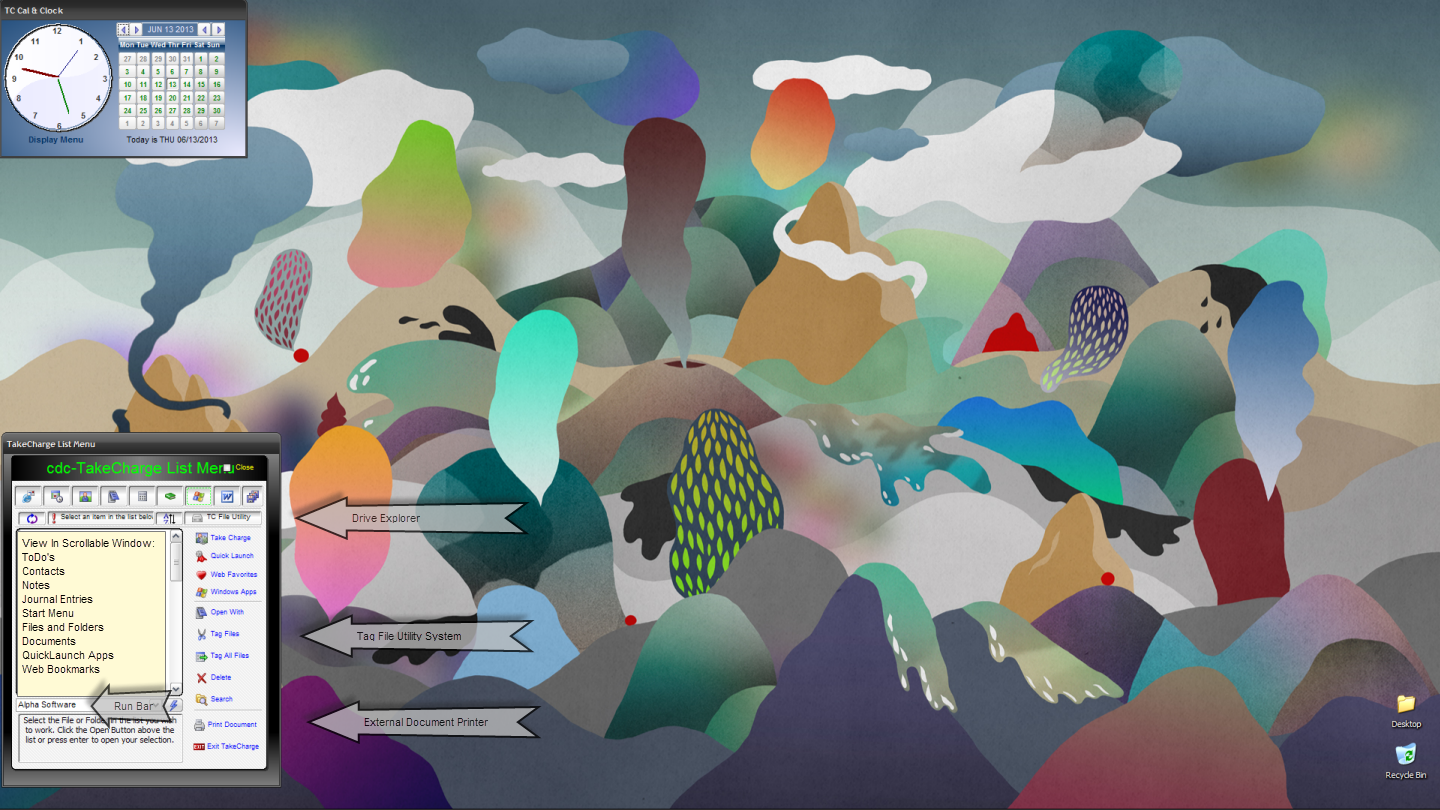
Now when you go to your desktop in Windows8 you have the Start Menu and So Much More in a simple point and click interface.
Other features I am considering is
- Phone texting
- Tweets
- Sticky Note Reminders
If you have any Ideas you think would be great to include let me know.
That’s all for today. Next we will do a Design Document for our Start Menu add-on. Thanks again for stopping by and Remember, if you need help with an Alpha Software application or wish to inquire about a custom application for your business go to our website
and inquire or contact
NLawson@cdc-TakeCharge.com
Have a great day.
 Custome Database Design with Alpha Software
Leave a comment