
Hello Everyone.
Today we will look in greater detail about form design and add some new components to our People form. As we discussed in the previous lesson, the form in the default app is disjointed, cluttered and awkward to use.
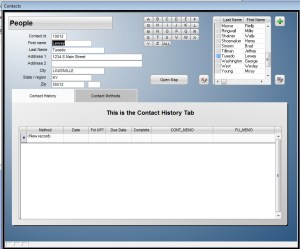
Look at our new form below to see the differences.
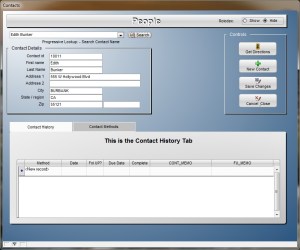
This new form introduces a ‘Progressive Look up’ for finding contacts, A Radio Choice object for showing and hiding the Rolodex and Contact browse and another conditional object. Here is what we did.
The Progressive Look up uses a calculated field called Contact in the people table.
- Contact Field – A calculated field which combines First and Last Contact name. Procedures are as follows.
- Go to your control panel.
- Right click on the people table
- Select Edit Structure
- Add Contact as character 35
- Save and close
- Right click on people and select Edit Field Rules
- Select Contact from the drop-down list.
- Select Extended Field type
- Enter the following text in the calculated exp: Alltrim(F_Name)+” “+Alltrim(L_Name)
- Save and Close
- Right click on the people table and select utilities
- Select Recalculate ( this will fill in the Contact field with values of current records.)
- Open your People form in design mode
- Select Form in the menu bar
- Select Variables from the drop down
- In the session variable window add PL_Contact = ” ” and rolshow = 0
- Close the variable window and save the form.
Now that you have the necessary parts, you can watch the short video to see how I redesigned the form then you can do the same, or try your own layout. Have fun.
 Custome Database Design with Alpha Software
Leave a comment