
Hello everyone, and welcome back
As we mentioned yesterday we will be discussing how to send a report to an external file viewer.
First, lets look at the print preview code which is attached to the original print preview report button on the main menu. When you look at the on push event for the button is is displayed as an action script. To see the actual code, click on code in the menu at the top of the window then select convert to xbasic. You will be warned that your action cannot be undone but it can. After viewing the code, if you wish to put it back as it was simply close the code editor and form without saving. Here is the code after converting to xbasic:
‘Execute inline Xbasic code.
if is_object(“People”) then
:people.hide()
end if
if is_object(“items_overdue”) then
:items_overdue.hide()
end if‘
query.filter = “”
query.order = “”‘Prompt user whether to print, or preview the layout. Set default to Preview
prompt_result = ui_get_print_or_preview(“Preview “)
If prompt_result = “Print” then:Report.Print(“upcoming_events”,query.filter,query.order)
Else if prompt_result = “Preview” then
:Report.Preview(“upcoming_events”,query.filter,query.order)
End if
Now lets look at the code which has been changed to send the report to Adobe file viewer:
if is_object(“People”) then
:people.hide()
end if
if is_object(“items_overdue”) then
:items_overdue.hide()
end if‘
query.filter = “”
query.order = “”‘Prompt user whether to print, or preview the layout. Set default to Preview
prompt_result = ui_get_print_or_preview(“Preview “)
If prompt_result = “Print” then:Report.Print(“upcoming_events”,query.filter,query.order)
Else if prompt_result = “Preview” then
:Report.SaveAs(“upcoming_events”,”PDF”,query.filter,query.order,””,.T.)
End if
When you examine the code you will see they are both identical with the exception of the preview option. In ours we are saving the report as a PDF file then setting the last parameter as true which tells Alpha Software to display the saved file with the associated program. If you are not sure how I came up with the code to save and send the report, you can do one of two things. Go to the Wiki Alpha Software help site which is very good or use the Script Genie (See image below)
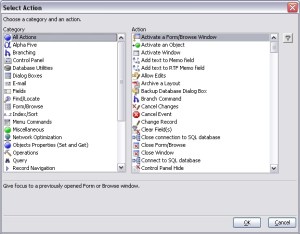
From your code writer window, click on Code in the menu bar at the top of the page then select Action Script Genie and follow the on screen prompts. This is easy to use and an excellent way to learn xbasic code.
Below is a short video which demonstrates exactly how this was done. Enjoy!
Thanks again for watching.
Our next lesson will show how to create a conditional object which emulates a tabbed form giving you the developer greater flexibility in design and layout. Hope to see you then.
 Custome Database Design with Alpha Software
Leave a comment