
Anyone familiar with Alpha Software knows there are several ways to create and manage objects and or data in Alpha Software. Today we will discuss using xBasic Code to control objects on a form. For the purpose of this post we will be using an example of showing and hiding two drop down objects on a form.
The form is the report menu on the TakeCharge Check Writer Application in the TakeCharge Software Suite.
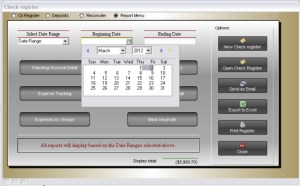 xBasic is the programming language Alpha Software uses to write commands which tell the Windows operating system to perform certain task. This code can be in a script, on a forms events or on an objects events. The form above has code in each of those places, but we will be looking at the code for Select Date Range drop-down object. The choices for this object are:
- Current Date – Displays data for today’s date only and the Beg and End Date objects are hidden.
- Selected Date – Displays data for the selected date and the Select date object is displayed.
- Date Range – Displays data for the date range and all three objects are displayed.
Here is the code:
if cdcCkRegister:rptDateType.text = "Current Date" then
    cdcckRegister:selectdate.Hide()
    cdcckRegister:beg_date.Hide()
    cdcckRegister:endingdate.Hide()
    cdcckRegister:end_date.Hide()
else if cdcCkRegister:rptDateType.value = "Selected Date" then
    cdcckRegister:selectdate.text = "Select Date"
    cdcckRegister:selectdate.show()
    cdcckRegister:beg_date.Show()
    cdcckRegister:endingdate.Hide()
    cdcckRegister:end_date.Hide()
else
    cdcckRegister:selectdate.text = "Beginning Date"
    cdcckRegister:selectdate.show()
    cdcckRegister:beg_date.Show()
    cdcckRegister:endingdate.text = "Ending Date"
    cdcckRegister:endingdate.Show()
    cdcckRegister:end_date.Show()
end if
In the above example an object is identified by
form_name:object_name.
After the period you would enter the objects property and it’s value or the objects method
cdcckRegister:selectdate.text = “Beginning Date” is a property value and cdcckRegister:beg_date.Show() is a method for showing the object.
When you are in the code editor window (which is where you write your code), you can find methods and properties for each object by bringing up the xBasic explorer and:
- Click Objects
- Windows
- Select the form name you are working on in the drop down list
- Select Methods or Properties
Watch the short video below to see it work and for more detailed instruction.
A short demo
 Custome Database Design with Alpha Software
Leave a comment